Skip to content
Purdue University Home Office of the Registrar
  • Home
  • Calendars
  • Records and Enrollment
  • Faculty and Staff Resources
  • Privacy and FERPA
  • University Catalog
  • Commencement
  • Contact Us
Office of the Registrar
  • Home
  • Calendars
  • Records and Enrollment
  • Faculty and Staff Resources
  • Privacy and FERPA
  • University Catalog
  • Commencement
  • Contact Us
Helpful links
  • Academic Calendar
  • Advisor Resources
  • Change of Degree
  • Commencement Timeline
  • FERPA Certification
  • Residency Classification
Quick links
  • Register for Classes
  • Order Official Transcript
  • Update Personal Information
  • Reserve a Classroom
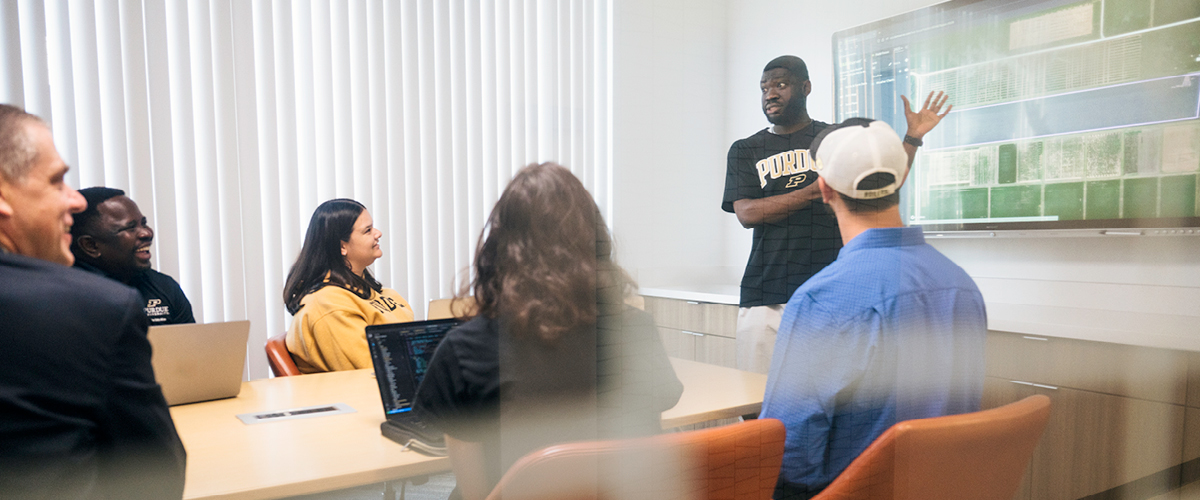
Student presenting at a screen in a meeting room

Event Classroom Scheduling

Schedule a Purdue-managed classroom for your next department or faculty event, student organization meeting and other non-academic gatherings. Access scheduling contacts, guidance on event scheduling and answers to some of our most frequently asked questions to help in planning your next event.

Before submitting your request, understand our shared classroom and event use guidelines.

Review Classroom and Event Use Guidelines

Reserve a Classroom or Space 

Select the appropriate card below to schedule a space based on location and room type.

  • West Lafayette

    Reserve an academic classroom or computer lab through myPurdue.

  • West Lafayette

    Reserve non-classroom space through the Event Request System.

  • Indianapolis

    Reserve a space through Administrative Operations.

Classroom Hours

Standard classroom hours vary by building and day. 

DayBuildingHours
Monday-Friday All buildings 7:30 a.m.-10:30 p.m. 
SaturdayMost buildings 7:30 a.m.-12:30 p.m. 
SundayMost buildings Closed 

Lilly Hall of Life Sciences (LILY), Beering Hall of Liberal Arts and Education (BRNG) and Hampton Hall of Civil Engineering (HAMP) have extended weekend hours:  

  • Saturday hours: 7:30 a.m. to 8 p.m. 
  • Sunday hours: 8 a.m. to 8 p.m. 

Large classrooms seating 75 or more are subject to additional restrictions. Review the Large Classroom Availability section below. 

Requesting a Space Outside Normal Hours 

If you need a classroom outside standard operating hours, one of the following conditions must apply: 

  • You have building and classroom access and agree to clean up after your event. 
  • You have keys or department access and agree to clean up after your event. 
  • You agree to pay fees payable through a work order to provide access and cleanup. 

Note: Even if classrooms in the Wilmeth Active Learning Center (WALC) are unlocked, fees may still apply for cleanup at the discretion of Building Services. 

Large Classroom Availability  

Large classrooms seating 75 or more are subject to holds until the beginning of the semester due to evening exam scheduling. No exceptions are made until the evening exam schedule is finalized. This currently affects fall and spring sessions only. 

You may request a large classroom if your event meets one of the following conditions: 

  • Your event is held Monday through Thursday before 5 p.m. 
  • Your event is held on a Friday or weekend during normal operating hours. 
  • Your event is held during the first two weeks of the academic semester. 
  • Your event is held the week before finals. 
  • You submit your request after the evening exam schedule is finalized and rooms are released. 

Contact Academic Classroom Scheduling for available large classroom dates at (765) 494-5700 or classroomsched@purdue.edu. 

Review our Large Classroom Database

Technology and Facility Needs 

Most events require some assistance from Classroom Support or Building Services. Review AV equipment, room setup and staffing needs in advance to ensure everything is in place before your event. Contact AV Services at (765) 494-2769 to confirm audio-visual needs.

Explore Classroom Technology Resources

Fees 

Fees may apply for events scheduled outside normal operating hours, those that requiring additional equipment or staffing, or events that require cleanup. Work orders are handled through Academic Classroom Scheduling and billed by Building Services after the event.

Access Building Services Rates

Frequently Asked Questions

Review responses below to some of our most frequently asked questions regarding classroom reservations for events.

No. All classrooms must be reserved in advance through UniTime or by contacting the scheduling office. Anyone using a classroom without a reservation will be asked to leave.

Contact Academic Classroom Scheduling at (765) 494-5700. Our team can confirm your group’s status and help get your request submitted. 

Request a larger classroom as soon as possible. Chairs and tables are configured based on the room’s maximum capacity. If chairs are missing, contact Academic Classroom Scheduling at (765) 494-5700 or classroomsched@purdue.edu. Furniture may not be moved between rooms under any circumstances. 

No. Late occupancy is not permitted as it disrupts the custodial staff’s cleaning schedule. If you remain in the room without prior authorization, Building Services staff will need to return to clean and lock up, and fees may apply for any overtime required. 

Contact Academic Classroom Scheduling at (765) 494-5700 or classroomsched@purdue.edu. The scheduling office will arrange for repairs and make alternate room arrangements if needed. 

Contact Theresa Morgan at (765) 494-1597 before submitting your request, or note the requirement in the additional information field of your UniTime request form. 

Purdue Logo

Office of the Registrar
128 Memorial Mall
West Lafayette, IN 47907

765-494-6165

Systemwide options

Follow Us

  • Facebook
  • Twitter
  • LinkedIn
  • Instagram
  • Youtube
  • tiktok
  • snapchat
Systemwide options

  • Add/Drop Calendar
  • Apply for Graduation
  • Enrollment Verification
  • Register to Vote
  • Registration Holds
  • Transfer Credit Evaluation

  • Curriculum and Course Resources
  • Exam Scheduling
  • Initial Course Participation
  • Record Retention Guidelines
  • Schedule Deputy Resources
  • Submit Grades

  • Academic Integrity
  • Brightspace
  • myPurdue
  • Office 365
  • Office of the Bursar
  • OneCampus Portal

  • Annual Security Report
  • Construction
  • Emergency
  • Information Technology
  • Marketing and Communications
  • Purdue News
  • Purdue Hotline
  • Timely Warnings

Last modified: July 26, 2026

Copyright © 2026 Purdue University. All Rights Reserved. Trademark Statement.
Accessibility | EA/EO University | Integrity Statement | Free Expression | College Scorecard (ed.gov) | Privacy Policy | Contact Us