How to Reprocess a Course in Panorama
Oftentimes, reprocessing a course through the Panorama Course Settings can alleviate many score fluctuation issues, as well as provide you with the most accurate and up to date Accessibility Score.
To reprocess a course in Panorama:
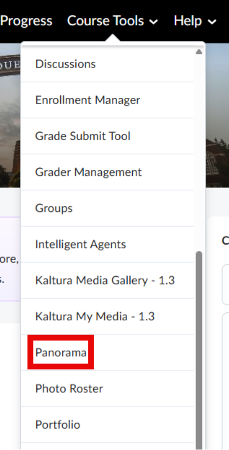
- Click Course Tools and then click Panorama
- Hover your mouse cursor on the left side of the screen and select General Settings under the Configuration category.
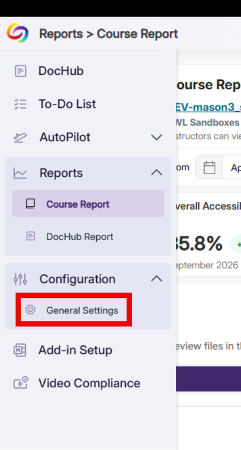

- This will bring up General Settings. Make sure the Course Settings tab is selected
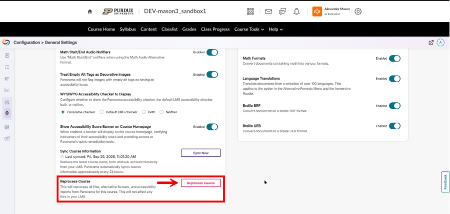
- Scroll down to the bottom of the page until you see Reprocess Course. Click Reprocess Course.
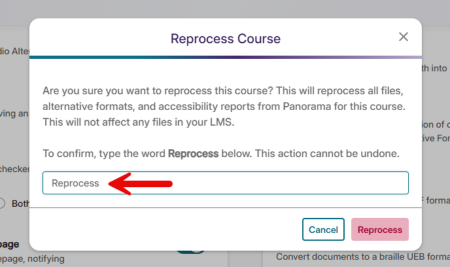
- Panorama will ask you to type the word “Reprocess” for safety reasons. Panorama will then allow you to click Reprocess.
- Panorama will rescan all documents within the course. This will not undo any work that has already been done to remediate files in your course.