Definitions
- DI: Designated Individual is an employee who can authorize a purchase request.
- Ariba: The SAP module used by Purdue for filling and tracking purchasing requests.
- BO: Business Office that may be a part of the purchasing office.
- Consumable: Any item or group of items that we already have, and they have limited life span and thus need to be purchased periodically.
- Repair/Maintenace: Any item or group of items that we need to react to a tool failure/s or perform preventive maintenance on a tool/s.
- R&D: Any items or group of items that are used in a process that we don’t currently offer to member community.
- Optimal Vendor: Vendor who has the item/s available, there isn’t an obvious cheaper option and can deliver/know to deliver the item/s in timeframe required by purchasing reasoning.
- Internal Vendor: A vendor who is based on campus.
- Catalog Vendor: Vendors integrated into Ariba. Easiest to make purchases as we need only one purchase request to acquire multiple different items from a single vendor.
- Non-Catalog Vendor: Vendors integrated into Ariba. It is a little harder to make purchases as we need multiple purchase requests to acquire multiple different items from a single vendor.
- Person/Lab: Name of the person/lab that needs the item. Example: I, John Doe, Metal, Lathe etc.
- Item: Each list item needs to be rationalized. Example: 2026T15, Radio-master Pocket etc. You may only group items if they fulfill one specific task as defined below.
- Task: Task needs to be sufficiently clear in scope to allow your DI to understand the task you wish to perform. If you are unsure, always be more descriptive. Example: repairing tailstock on ST20Y, fixing spool gun on MP210, replenishing consumed nitrile gloves.
- Expensive Item: Item exceeding >=100$ should have disclosures on considered alternatives and value of task being performed.
- Expensive Items: Items exceeding >=500$ should have disclosures on considered alternatives and value of tasks being performed.
- Generalizations: Tasks that are described as stuff for laser cutting, consumables for lab, fixing things; do not meet specificity required.
- Trial Item: Item that is being procured to try out needs to be stated as a trial item instead of stating the potential benefits as known benefits.
- Personal Use: Items that mostly/likely benefit a specific member (employees are members when using the center for personal projects), group of members or teams should be disclosed as such.
- Planner: Microsoft tool used for tracking orders.
Process Outline

Already Available
Below are live inventories. If you plan to buy an item of the same classification, please contact the leadership in that lab to update the inventory and store the item correctly.
Vendor Selection
We provide an order of preference. You may go to the next preference only if the vendor is not optimal.
Receiving:
If you are placing a purchase request, you may also be receiving the item. Here are the expectations when handling packages:
- Packing Slip:
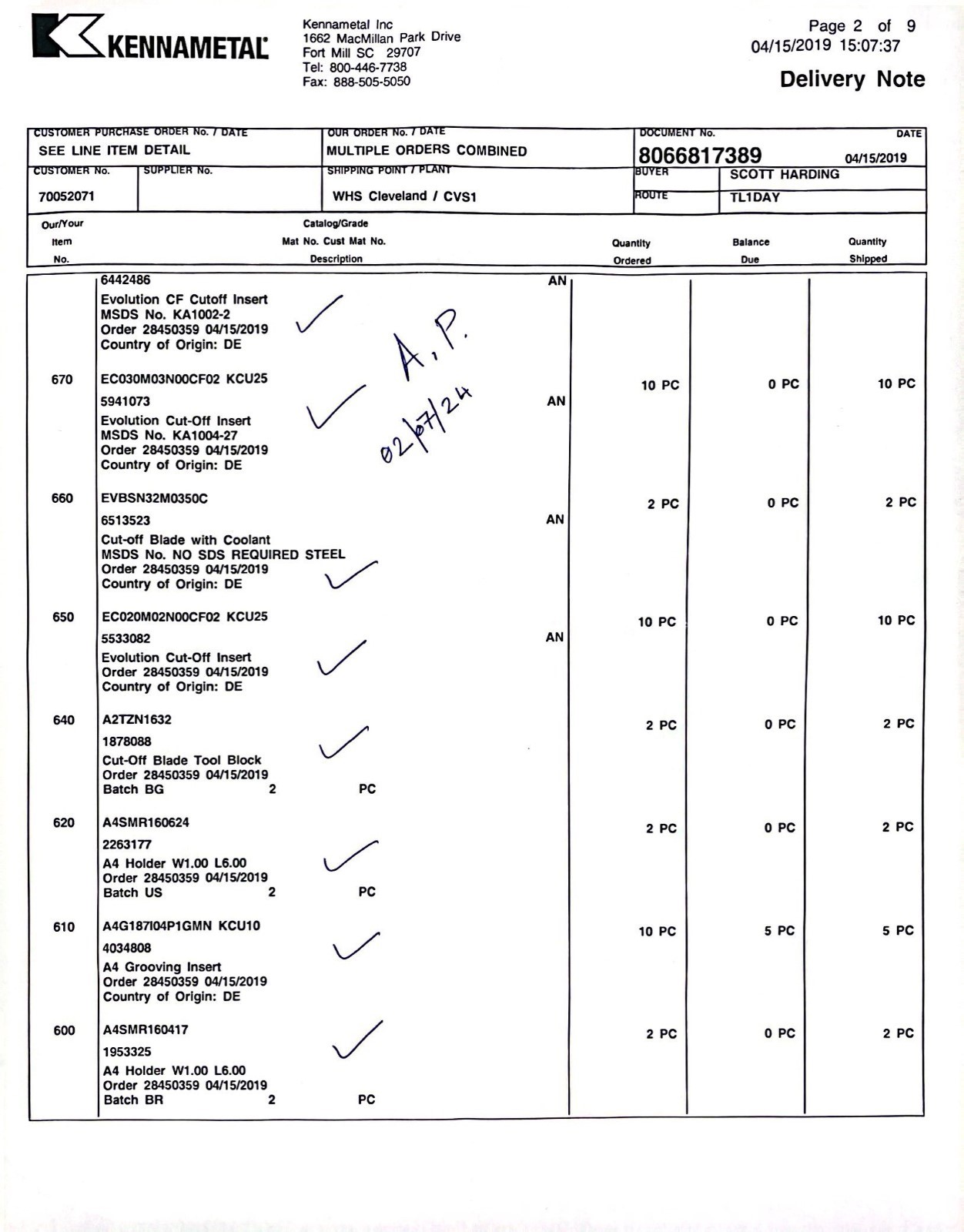
- Locate the packing slip if available. Eg:
- Tally the items and quantities against the packing slip. It is normal to only receive a portion of the order; items sometimes are shipped separately.
- Check, initial/sign and date the packing slip as shown below.
- Provide the slip to the Community Manager or leave it at the front desk if she is not immediately available.
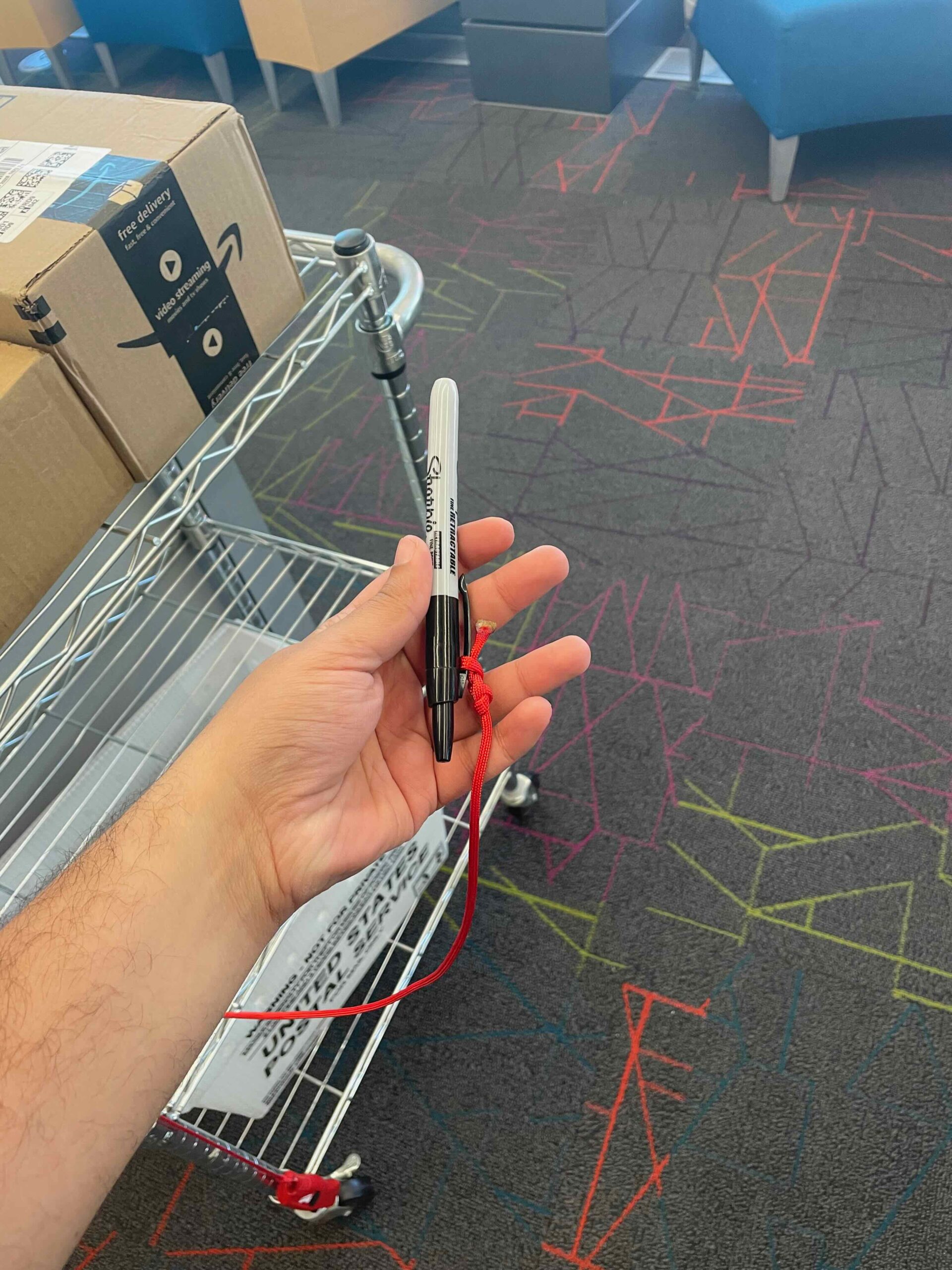
- Teardown: Dismantle and dispose all packing material in the trash. Tool are available at the cart as shown below.

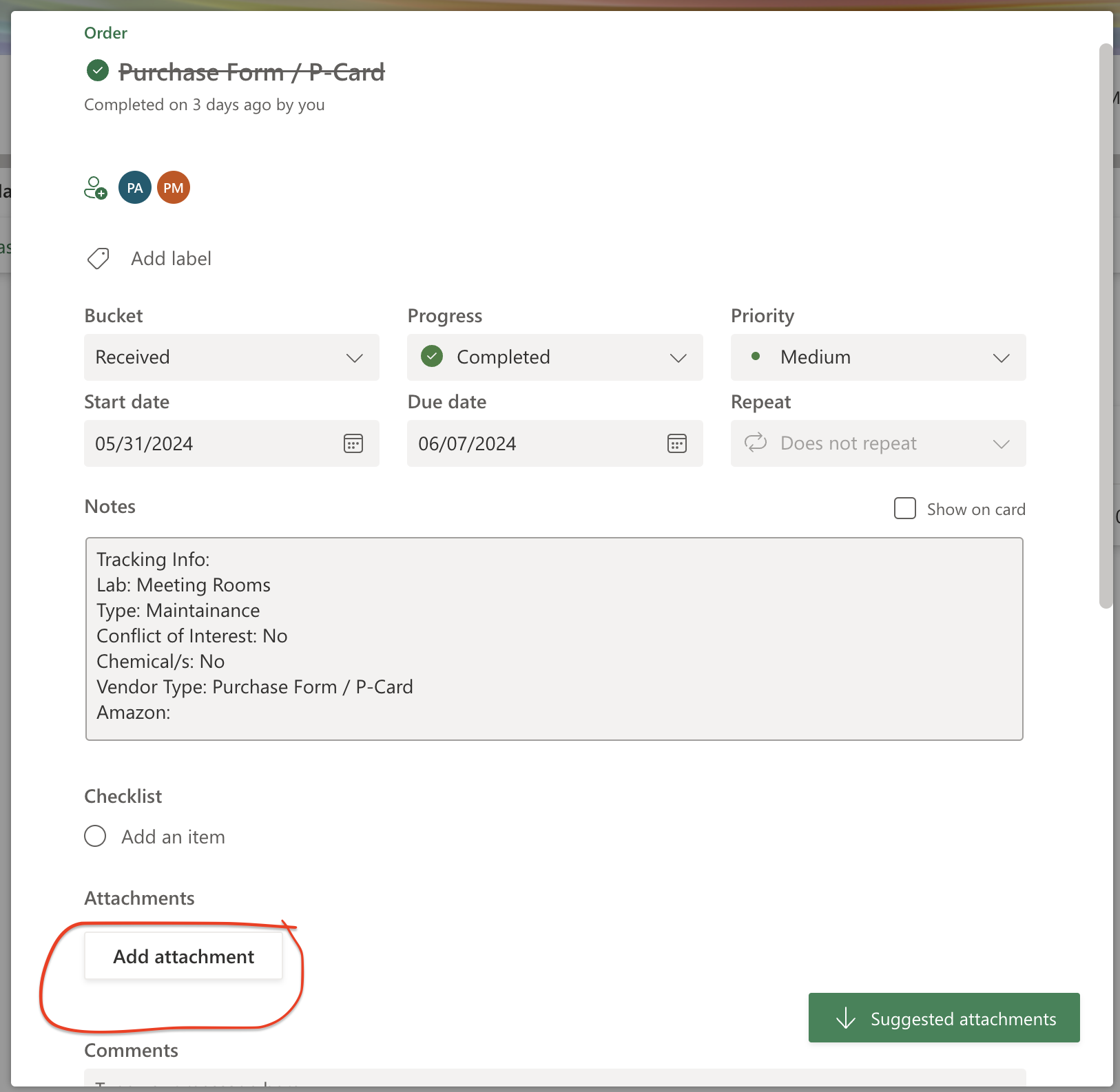
- Manuals/Certificates: Scan or get digital copies of documentation received in the package and upload to planner task associated with the order. Access planner here.
- Mark BIDC: Mark item/s with BIDC using the the tools available at the cart.
- Mark on Tracker: Move task from Ordered to Received in planner located here.

Multiple Items:
If you are purchasing more than 3 unique items you need to do one of the following:
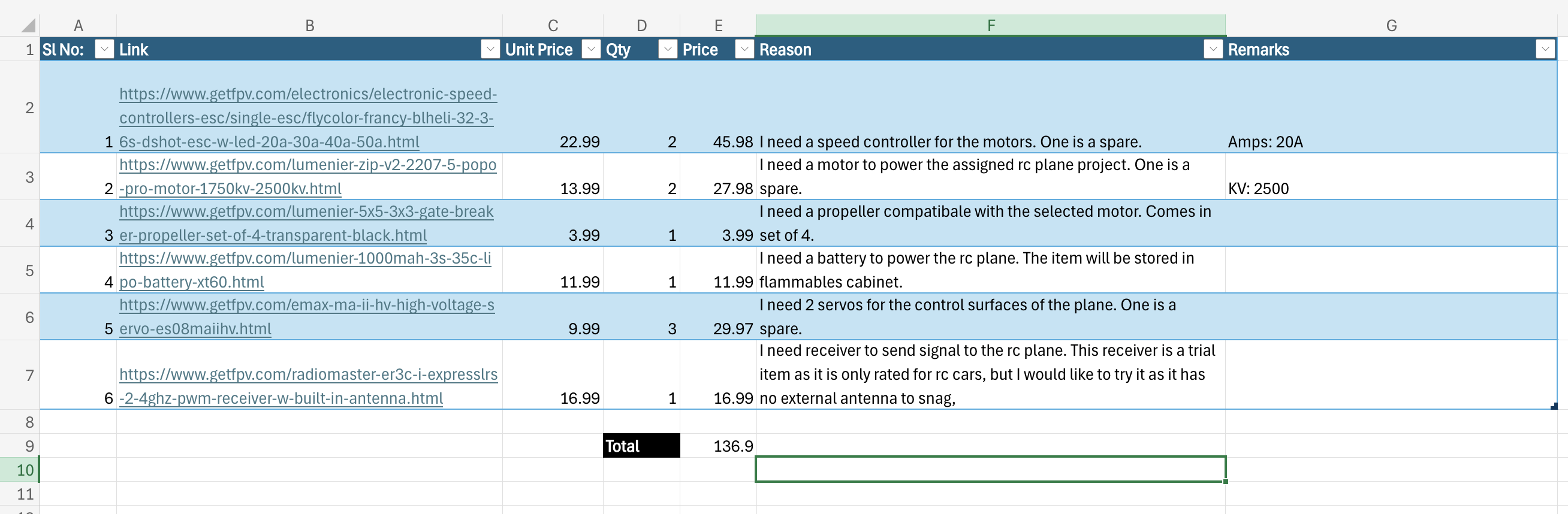
- Teams Spreadsheet: You must use an excel spreadsheet that contains the item, qty, unit price, price, total price and individual reasons. The excel needs to be in here on Microsoft Teams. A template has been provided here. Example:
- Teams Spreadsheet with Vendor Cart Sharing: If the vendor supports sharing a cart with a link, you must use the cart link in the Team Spreadsheet. Example: Digikey:

Quote:
If your vendor doesn’t have an online store front or items that are not available online, you will need to do the following:
- Quote: You will need to obtain a quote via Purdue email. If it is an in-email quote, please export the email as a PDF using the Save as PDF setting of Print.
- Validity: Ensure the Quote is not expired.
- Address: Ensure the Quote has the correct shipping/billing address.
- Attach: You should add the Quote to your associated planner task. You have to upload this to teams in here, before adding to the planner.
- Contact: Contact your DI via Discord in the event the expiry of the Quote is less than a week at the time of filling the request form.
Links to Request Form:
Link: https://forms.office.com/r/H8KsP5zhqK
QR Code: