ai Toolkit
Google antigravity
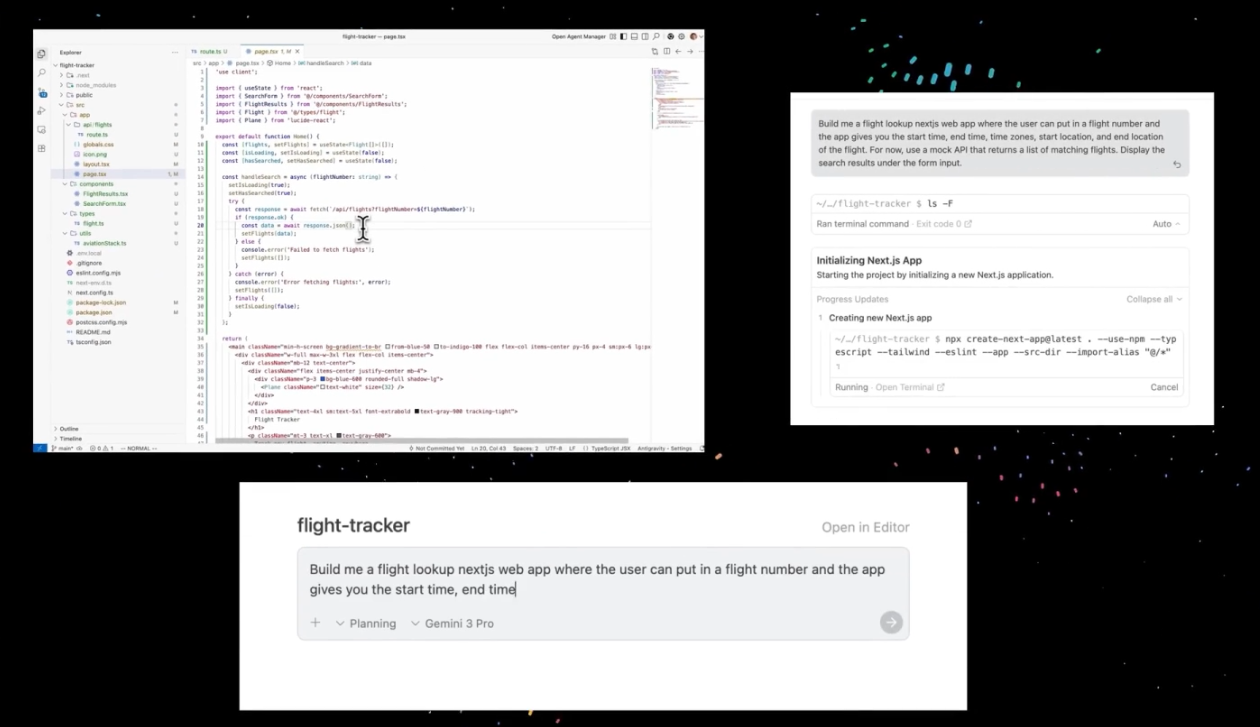
Google’s platform for building AI agents that perform tasks, automate workflows, and assist users. Compare all of Purdue’s AI tools.
Is this the right tool?
Choose Antigravity when
- You want to build agents that reason through multi-step tasks and carry them out.
- You want to automate a workflow or build an intelligent assistant.
- Your work involves public information only.
Choose something else when
- Your agent needs sensitive data, or you want a low-code builder.Copilot Studio
- You want to build agents in code on Azure, with full control.Microsoft Foundry
- You only need to chat, draft, or summarize.Copilot Chat (Basic), which you already have
What you can do with it
Build agents that act
Create agents capable of multi-step reasoning and task execution.
Automate workflows
Build workflow automations and intelligent assistants.
Connect approved tools
Connect agents to approved tools, systems, and data sources.
Data you can enter
Antigravity is approved for public data only. Do not use it for work that depends on sensitive or restricted data.
These protections apply only when you are signed in with your Purdue account.
Not sure which category your work falls into? Read the data handling procedures.
Antigravity
Highest classification: Public
Data you can enter
- Public, allowed
- Sensitive, not allowed
- Restricted, not allowed
Eligibility
Antigravity is available to everyone at Purdue: students, faculty, and staff. The cost is covered by Purdue.
How you get it depends on your computer. You can install it yourself on a computer you own. On a Purdue-managed machine, Purdue IT installs it for you.
How to get it
There are two ways to get Antigravity, depending on whose computer you are using. Either way, the cost is covered by Purdue.
On your own computer
- Go to Antigravity’s download page.
- Download the version for your operating system and install it.
- Open Antigravity. On the Welcome to Antigravity! screen, select Use Business Account, not Continue with Google, and sign in with your Purdue account.
- On the Select Billing Model screen, leave Subscription selected.
- Under Choose a Subscription, select Gemini Enterprise EDU Pro (purdue-prod-geminienterprise), then select Next.
On a Purdue-managed machine
- Send a ticket to Purdue IT at it@purdue.edu asking for Antigravity.
- Include your name and the computer you need it on.
- Purdue IT installs it for you. Confirm: typical turnaround
- Open Antigravity. On the Welcome to Antigravity! screen, select Use Business Account, not Continue with Google, and sign in with your Purdue account.
- On the Select Billing Model screen, leave Subscription selected.
- Under Choose a Subscription, select Gemini Enterprise EDU Pro (purdue-prod-geminienterprise), then select Next.
Your first week
Start small
Give an agent one contained task and watch how it plans and carries it out.
Keep it public
Work only with public data. Leave sensitive and restricted data out of your projects.
Review what it does
Read the agent’s plan and its changes before you accept them.
Connect approved tools
Add connections to approved tools, systems, and data sources as your work needs them.
Limits and what’s coming
What to keep in mind while you work.
Public data only
Sensitive and restricted data are not allowed.
Approved connections only
Connect agents only to approved tools, systems, and data sources.
Managed machines need a ticket
On a Purdue-managed machine, Purdue IT installs Antigravity for you.
Check its work
Agents can be wrong. Review what they do before you rely on it.
Help and FAQ
For installation on a Purdue-managed machine, or any access problem, email it@purdue.edu.
How do I know if my computer is Purdue-managed?
If Purdue IT set up your computer and installs software on it for you, it is Purdue-managed. If you are not sure, email it@purdue.edu.
Does it cost anything?
No. The cost is covered by Purdue.
Can I install it myself on a Purdue-managed machine?
No. Send a ticket to Purdue IT and they will install it.
Can I use sensitive data?
No. Antigravity is approved for public data only.