Skip to content
Purdue University Home Purdue Brand Studio
  • Home
  • Brand
  • Toolbox
  • Digital
  • Productions
  • Impact
  • About
  • Contact Us
Purdue Brand Studio
  • Home
  • Brand
  • Toolbox
  • Digital
  • Productions
  • Impact
  • About
  • Contact Us
Helpful links
  • Our Team
  • Logos & Usage
  • Notable Rankings
  • Purdue Brand Network
  • Request Support
Quick links
  • Brand Guidelines
  • AI Content Guidelines
  • FAQ
  • Compliance
  • Communicator Policies
Purdue Brand Studio / Toolbox / Promotional Items / Interior Branding and Exterior Signage Process

Interior Branding and Exterior Signage Process

Learn more about where branded materials may be posted, when approval is required, and who approves interior signage and design to ensure compliance with university policy and brand standards.
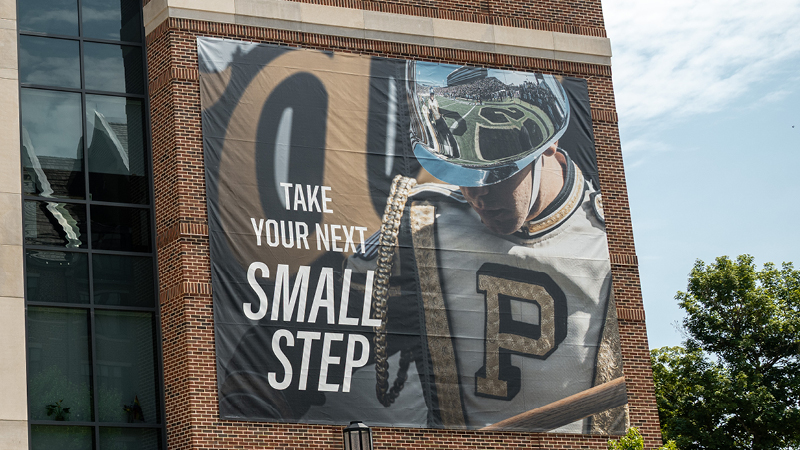
Exterior signage of

What is Included in Interior Branding and Exterior Signage?

The university provides various designated locations on its campuses — both indoors and outdoors — for university community members to share information about their events and initiatives. These locations are for use only by students, faculty, staff, recognized student organizations and units within the university, such as colleges, schools, departments, divisions and offices.

Colleges, departments and campus units planning signage or interior space updates should follow the guidance below to ensure all requests and materials align with university policy and brand standards.

Permanent Interior Postings and Branding

Permanent interior branding includes wall graphics, murals, plaques, donor displays, permanent bulletin boards, dimensional lettering and other long-term or installed materials within university facilities. Follow the steps below to submit a request for this type of signage.

Request process:

  1. Submit a space alteration request to Campus Planning and Architecture at cpa@purdue.edu.
  2. Upon approval from Campus Planning and Architecture, submit design mock-ups to Purdue Brand Studio at purduebrand@purdue.edu to ensure brand compliance.
  3. Follow approved installation instructions, including vendor safety, as instructed by Campus Planning and Architecture.

Temporary Exterior Postings on Buildings

Event banner locations available for colleges, departments, units and organizations are located between Stewart Center and the Purdue Memorial Union.

Request process:

  1. Reserve the Stewart Banner location through the Event Management System at least two weeks in advance of installation.
  2. Upon space approval, submit a work request using departmental funding for the banner’s installation and removal.
  3. Submit banner designs to Purdue Brand Studio at purduebrand@purdue.edu to review prior to production.

The university reserves the right to remove posted materials at any time.

For full details, refer to the Administrative Operations postings website and the official Posting Policy (IVB2).

Interior Branding and Posting FAQs

Posting: A posting refers to temporary materials like flyers, banners or chalk markings.

Long-term or permanent signage: Permanent signage and banners affixed to interior or exterior walls, doors, ceilings, etc., and painted murals are considered building alterations and must be authorized in accordance with the policy on Assignment, Construction, Alterations, Improvements and Maintenance to Facilities (IV.B.4).

Use the steps contained on this page to request a building alteration or install permanent signage.

Postings or permanent signage that violate the campus posting policy are prohibited. Examples include:

  • Postings for non-official university business
  • Permanent installations without approval
  • Materials that damage surfaces
  • Window clings or adhesive graphics on exterior windows
  • Non-washable substances (e.g., paint, adhesives)

For full details, refer to the official Posting Policy (IVB2).

Generally, the following can be posted without prior approval:

  • Postings on designated bulletin boards
  • Postings on outdoor boards and panels designated for community use
  • Postings on sidewalks in areas that are exposed daily to the elements with washable chalk only

If you are unsure, send a request for clarification using the steps outlined on this page. Reminder: All printed materials used for promotion of a Purdue organization or unit should follow our brand guidelines.

For full details, refer to the official Posting Policy (IVB2).

If you are unsure whether approval is required, contact your Building Deputy, Campus Posting Authority or email Purdue Brand Studio before posting.

Adding a unit’s name to a wall is typically considered wayfinding signage but would also be considered long-term or permanent signage. This requires a request, approval and installation from Administrative Operations and Campus Planning. Note that Purdue has preselected fonts and styles for wayfinding signage.

If you plan to install a full wall cling or graphic that includes your unit’s name, this falls under long-term or permanent signage and requires approval from the following entities:

  • Administrative Operations and Campus Planning for space alteration
  • Purdue Brand Studio for design standards

Use the steps included on this page to start the process.

For full details, refer to the official Posting Policy (IVB2) and the Assignment, Construction, Alterations, Improvements and Maintenance to Facilities (IV.B.4) policy.

Discover Our Brand Guidelines

Download
Purdue Logo

Purdue University
610 Purdue Mall
West Lafayette, IN 47907

765-494-4600

Systemwide options

Follow Us

  • Facebook
  • Twitter
  • LinkedIn
  • Instagram
  • Youtube
  • snapchat
Systemwide options

  • West Lafayette Map
  • Careers
  • Center for Healthy Living
  • Colleges and Schools
  • Directory
  • Entrepreneurship and Commercialization
  • Human Resources
  • Libraries

  • Ethics and Compliance
  • Events
  • Give
  • Lost and Found
  • Office of Engagement
  • President
  • Tuition Calculator

  • BoilerConnect
  • Brightspace
  • Current Students
  • Faculty and Staff
  • myPurdue
  • Office 365
  • OneCampus Portal
  • Outlook

  • Annual Security Report
  • Construction
  • Emergency
  • Information Technology
  • Marketing and Communications
  • Purdue News
  • Purdue Hotline
  • Timely Warnings

Last modified: July 17, 2026

Copyright © 2026 Purdue University. All Rights Reserved. Trademark Statement.
Accessibility | EA/EO University | Integrity Statement | Free Expression | College Scorecard (ed.gov) | Privacy Policy | Contact Us