Skip to content
Purdue University Home Purdue Brand Studio
  • Home
  • Brand
  • Toolbox
  • Digital
  • Productions
  • Impact
  • About
  • Contact Us
Purdue Brand Studio
  • Home
  • Brand
  • Toolbox
  • Digital
  • Productions
  • Impact
  • About
  • Contact Us
Helpful links
  • Our Team
  • Logos & Usage
  • Notable Rankings
  • Purdue Brand Network
  • Request Support
Quick links
  • Brand Guidelines
  • AI Content Guidelines
  • FAQ
  • Compliance
  • Communicator Policies
Purdue Brand Studio / Digital / Metadata and Social Media / Social Media Guidance

Social Media Guidance

Posts on social media that align with the university’s brand help audiences connect with Purdue. Discover tips, tricks and platform guidance that promote best practices. 

Jump to:
  • Platforms
  • Design
  • Accessibility
  • Links
  • Content Packages

Posting Tips

  • Use branded profile templates. 
  • Post and moderate daily. 
  • Include brand photos, videos or GIFs. 
  • Keep posts short and direct. Less is more. 
  • Consider starting your post by asking a question to draw in your audience. 
  • Tag other relevant and active Purdue social accounts (departments, clubs, organizations). 
  • Incorporate user-generated content (UGC) as appropriate. 
  • See if an emoji adds value. 
  • Reuse and repurpose content. 
  • Use campuswide hashtags as relevant, including: #PurdueUniversity, #Purdue, #BoilerUp, #Boilermakers, #TheNextGiantLeap. 
Managing a Purdue Account

  • Secure approval from your college, school or department leader before launching an account. 
  • Use a departmental email for setup where possible. 
  • Assign at least two employees with admin access where applicable. 
  • Store credentials securely. Purdue University has made Bitwarden available to all Purdue faculty and staff. 
  • Content should be created and posted to accounts regularly.  
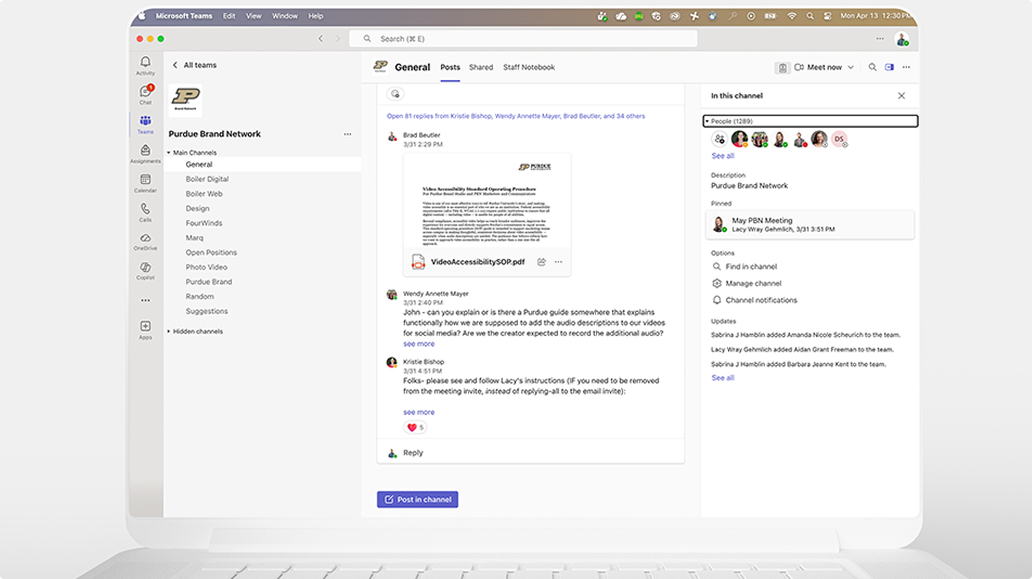
  • Join the Purdue Brand Network Teams channel to connect with other communicators. 

Stay Organized
  • Airtable Content Calendar Template 
  • Google Sheets Content Calendar Template 

Sharing Links From Purdue Stories and Purdue Newsroom on Social Media

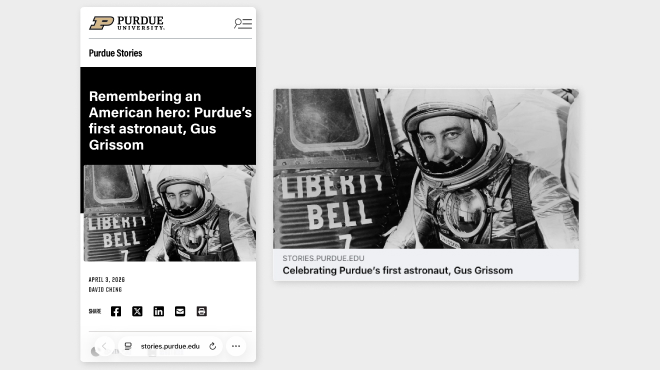
  • Content from Purdue Stories and Purdue Newsroom auto-populates with a hero image, page title and a short description of the page. 
  • The Open Graph (OG) image/social image is the thumbnail automatically created from the story’s hero image. The social image can be used by search engines and social networks. For universal support, the preferred size is 1200 x 630 px.

Platform Guidance
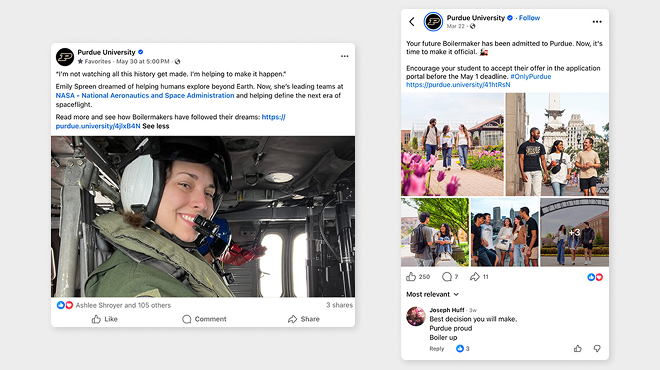
  • Audiences: Parents, alumni, general public 
  • Frequency: Once per day 
  • Content: Stories about research initiatives, celebrations/milestones, current student profiles and alumni profiles 
  • Character Count: While 63,206 characters is the maximum count, the ideal length is 50 characters or fewer. When a caption this short isn’t possible, focus on getting the “hook” of the post within the opening part of the caption. 
  • Visuals: Image size: 1200×630 px; video size: 16:9 or 9:16 ratio  
  • Tips: Lead with authentic Purdue photos. Keep text minimal. Avoid logos/co-brands in graphics. To vary posts, consider additional options such as utilizing one 1200 x 630 px image or graphic with two 1:1s or a post with multiple 1:1 photos.  

Facebook Stories

  • Audiences: Parents, alumni, general public 
  • Frequency: One to two times per day. Note: Facebook stories disappear after 24 hours. 
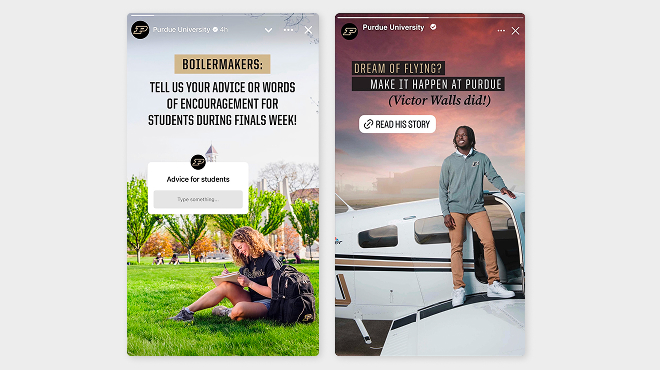
  • Content: Use Facebook stories to post in-the-moment and behind-the-scenes photos and videos to supplement feed posts and to promote upcoming or current events to increase engagement. Use links to provide more information and to drive traffic to your website. 
  • Visuals: 9:16 ratio, 1080×1920 px (image and video)
  • Tips: Text is needed. Graphics posted to your story will need more context than regular posts. Try to keep word count to a minimum, including the link sticker call to action if applicable. Think concise and catchy for this copy. Leave space in the design for tags, stickers and auto-populating elements. Interactive elements, like polls and quizzes, are great for engagement. 

  • Audiences: Current students, prospective students, alumni, general public 
  • Frequency: Once per day and at least three Instagram story elements per day 
  • Content: Events, student profiles, faculty profiles, student life, celebrations, milestones 
  • Character Count: While 2,200 characters is the maximum count, the ideal length is 50 characters or fewer. 
  • Visuals: Ideal image size is 4:5, 1080×1350 px
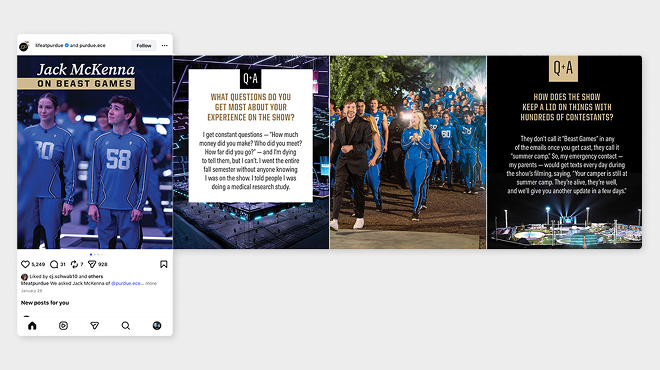
  • Tips: Lead with strong photography. Text can be used to enhance storytelling. When posting a carousel, keep the slide count to 10 or fewer.  

Instagram Reels

  • Frequency: Post as part of daily activity. 
  • Length: Videos up to three minutes can be published using the Reel option in-app. If you’re posting a video longer than three minutes, select the “post” option in-app. 
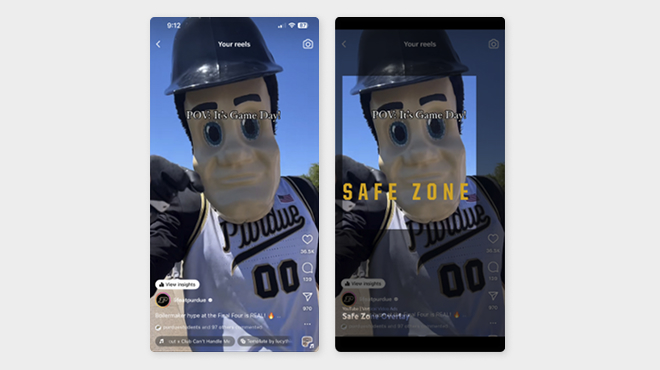
  • Visuals: 9:16 ratio preferred. Make sure to utilize the “safe zone” when creating 9:16 video. This will ensure that any text or captions are not covered with in-app elements. 
  • Tips: Captions need to be burned into the video. Use trending audio as appropriate, add cover images and use in-app templates. 

Instagram Stories

  • Audiences: Current students, prospective students, alumni, general public 
  • Frequency: At least three stories per day. Note: Instagram Stories disappear after 24 hours. 
  • Content: Events, student profiles, student life, celebrations, milestones 
  • Visuals: 9:16 ratio | 1080×1920 px (image and video) 
  • Tips: Text is needed. Graphics posted to your story will need more context than regular posts. Try to keep word count to a minimum, including the link sticker call to action if applicable. Think concise and catchy for this copy. Leave space in the design for tags, stickers and auto-populating elements. Interactive elements, like polls and quizzes, are great for engagement. 

  • Audiences: Students, alumni, general public 
  • Frequency: Six to 10 posts per day 
  • Content: Post and repost about campus events, research initiatives and fun facts about Purdue. 
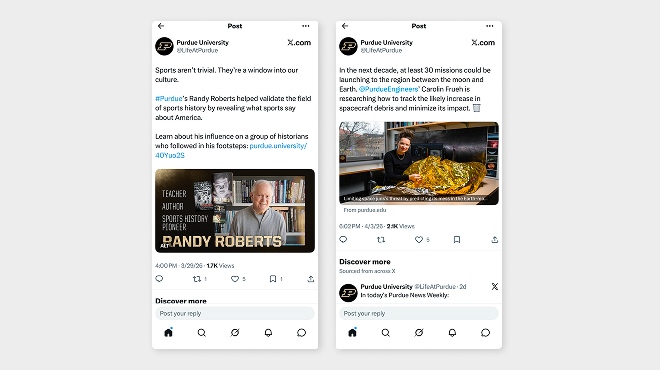
  • Character Count: With a standard account, the max character count is 280 characters. Know that a link on X will always be 23 characters, so account for that. 
  • Visuals: Image size: 1200 × 630 px; video: 16:9 ratio | 1280 x 720 px 
  • Tips: Link previews now include only the article title. Keep in mind when writing copy that the user doesn’t have additional context.

  • Audiences: Students, recent graduates (job seekers), alumni (recruiters looking for recent graduates), business professionals 
  • Frequency: One to two times per day 
  • Content: Innovation — partnerships, research, student profiles, alumni profiles and professor profiles 
  • Character Count: While 3,000 characters is the maximum count, posts truncate after 25 words. If a longer post is needed, consider encouraging users to expand the post to read more.  
  • Visuals: Image size is 1200×630 px; video size is 16:9 or 9:16 ratio.
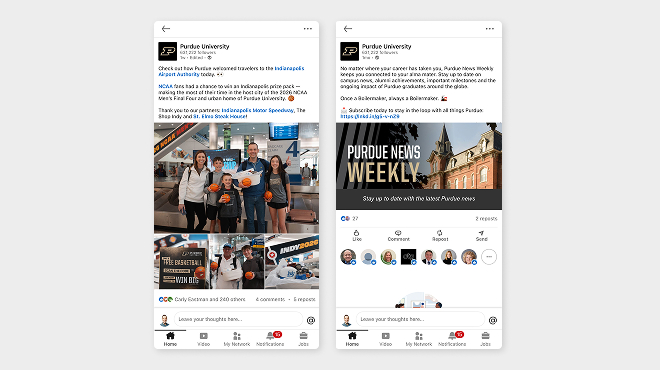
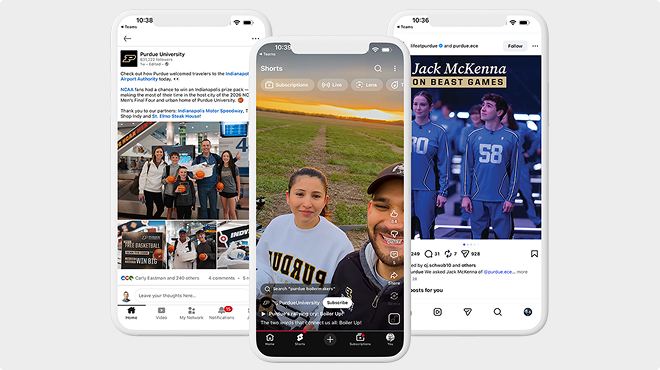
  • Tips: While links do generate a link preview image, LinkedIn has moved toward making these previews smaller. To make your post stand out in feeds, include another visual instead.  

  • Audiences: Current students, prospective students, parents, alumni 
  • Frequency: Two to three times per week. Youtube Shorts can be published every day. Look in the Audience Analytics section to see the best publish time. 
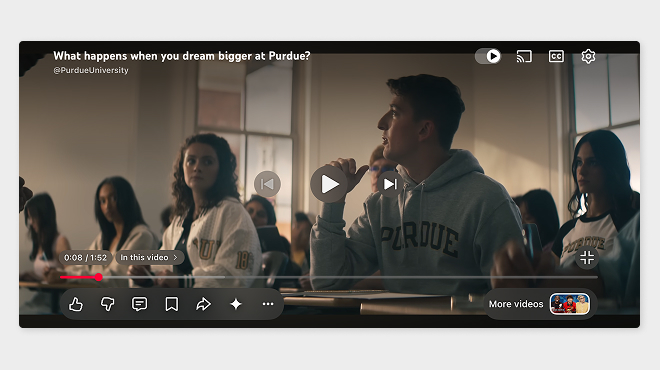
  • Content: Share stories about Boilermakers. Videos should align with one or more of the content pillars: athletics, education, research and experience.
  • Character Count: Title: 100 characters or fewer; description: 5,000 characters  
  • Visuals: Video: 16:9 ratio | 1280 x 720 px; YouTube Shorts: 9:16 | 1080 x 1920 px 
  • Tips: Always add captions, transcripts, chapters, end screens and info cards; add to playlists; set videos “not for kids.” Note: Shorts do not have thumbnails. YouTube auto-selects a frame from the video. 

YouTube Thumbnails

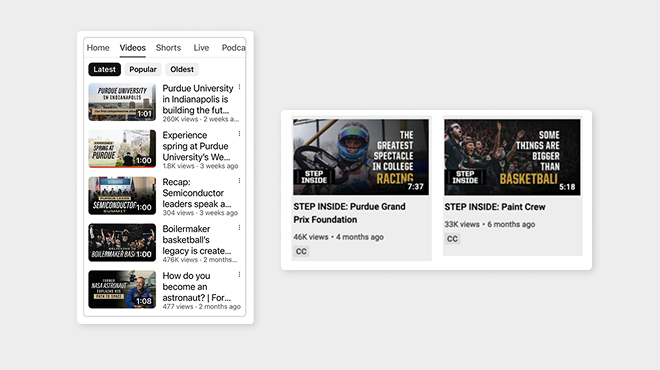
  • Design your thumbnail to be legible in small formats. Use large, readable fonts. Don’t forget about proper color contrast for accessibility compliance. 
  • Your thumbnail should signal what your video is about to users. 
  • Leave room in the thumbnail design for populated elements like the time stamp, play button, etc. 
  • Ensure the thumbnail is both high resolution and eye-catching. 
  • If your video is part of a series of videos or a campaign, consider using a thumbnail template. 

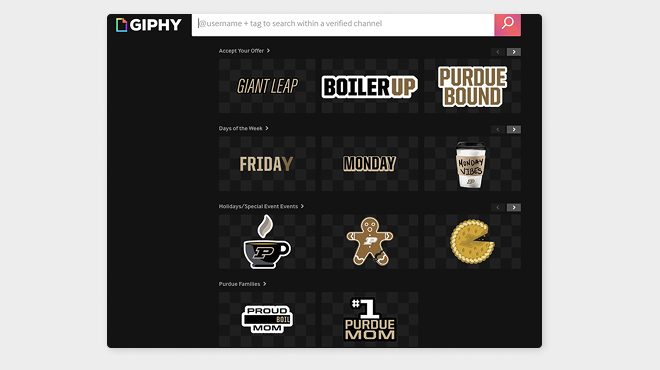
  • Giphy can be used to add GIFs and looping animations to Instagram and Facebook stories.  
  • GIFs and stickers can accompany any campaign, especially when you are looking for audience engagement and excitement. We have added a database of Purdue-themed GIFs that can be used to bring motion to posts.  
  • Visit giphy.com/PurdueUniversity to see the options or use the GIF search tool on your platform to search “Purdue.” 

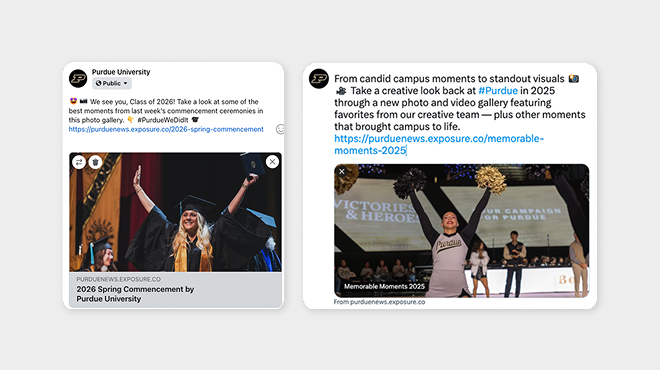
  • When you share an exposure gallery on Facebook, X and LinkedIn, the gallery’s first image is what will populate in the platform. 
  • Visit Purdue Exposure Galleries to see more and subscribe to notifications of newly added galleries. 

  • Lead with a strong, in-brand Purdue photo. 
  • Text can be used thoughtfully to add context and storytelling within the post. 
  • Always use brand fonts if copy is included in graphics. 
  • Design for accessibility. Sprout Social offers 10 guidelines to make social posts more accessible, and we have additional information in the Accessibility section. 
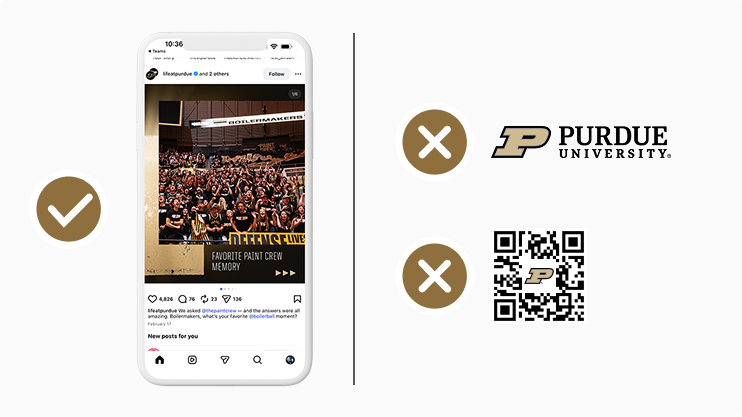
  • Avoid logos/co-brands in graphics since posts are always paired with profile icons and the name of the page. 
  • Don’t forget to incorporate videos when possible. 
  • Do not use QR codes in graphics since a significant portion of your audience views posts on mobile devices.  
All social media content created, published or shared on behalf of Purdue University should meet applicable accessibility standards and best practices. This includes images, videos, graphics, captions, hashtags and linked content. For additional guidance on creating accessible social media content, visit the Section 508 Social Media Accessibility Guide.

Alt Text on Images 

  • Text embedded into images or GIFs that conveys the meaning; designed to make visual content accessible to users with screen readers. Alt text should communicate concisely and not repeat any information provided in the text of the post. 

Closed Captions (CC) 

  • Refers to captions that can be toggled on or off by the user watching a video. An SRT file, used broadly across all platforms, is a simple, plain text file used to add timed captions or subtitles to videos.
  • Instagram does not allow for SRT upload, so we opt for burned-in captions for that platform. 

Burned-in Captions or Open Captions (OC) 

  • Refers to text permanently rendered directly onto a video, making captions visible to all viewers and impossible to turn off.  
  • Used on Instagram when an SRT file cannot be added. 
  • Should include notice of background music and lyrics as needed if it’s important for video comprehension.  
  • Be aware of the placement of captions to not overlap with the user experience of the platform. 

Color Contrast 

  • Refers to the difference between the color of text and the color of the background.  
  • It is best to maintain a contrast ratio of 4.5:1 for regular text and 3:1 for large text. This ratio is the minimum required for federal content creators. Use a color contrast analyzer to determine the ratio of your graphic. 
  • Purdue Brand Studio has a digital brand colors compliance chart for easy reference.  

CamelCase Hashtags 

  • Refers to the use of capital letters to separate words in a multi-word hashtag (e.g., #ThisIsCamelCase) instead of all lowercase (#thisisnotcamelcase), making them easier to read — notably for screen readers to pronounce correctly. 

  • Use approved vanity URLs (go.purdue.edu, purdue.link, purdue.ws, purdue.university). Start the vanity URL request process here: https://marcom.purdue.edu/contact/request/. 
  • For campaigns, use the Campaign URL Builder to create shortened links with tracking data. 

Bitly 

  • Provides URL shortening, branded links and engagement tracking. 
  • Useful for print, email and external communications.
  • Bitly QR codes auto-populate with the Bitly logo, which can be replaced or overlaid with the Motion P for Purdue branding. 

Other free options: 

  • Short.io 
  • Rebrand.ly 

Content Packages 

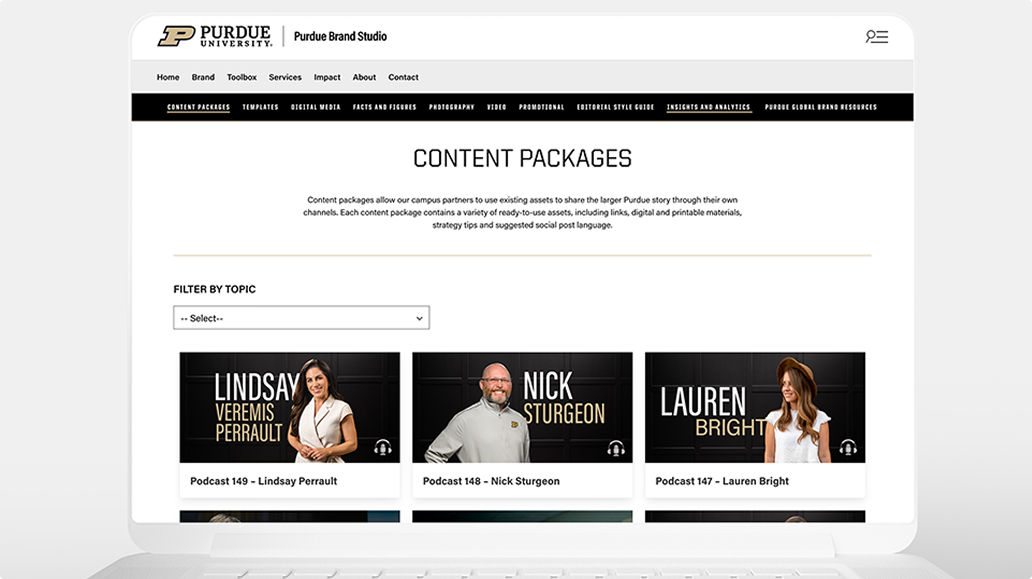
Each content package includes a variety of ready-to-use assets such as links, printable and digital materials, strategy tips, and suggested language. 

Explore all content packages in the Toolbox.  

Purdue Logo

Purdue University
610 Purdue Mall
West Lafayette, IN 47907

765-494-4600

Systemwide options

Follow Us

  • Facebook
  • Twitter
  • LinkedIn
  • Instagram
  • Youtube
  • snapchat
Systemwide options

  • West Lafayette Map
  • Careers
  • Center for Healthy Living
  • Colleges and Schools
  • Directory
  • Entrepreneurship and Commercialization
  • Human Resources
  • Libraries

  • Ethics and Compliance
  • Events
  • Give
  • Lost and Found
  • Office of Engagement
  • President
  • Tuition Calculator

  • BoilerConnect
  • Brightspace
  • Current Students
  • Faculty and Staff
  • myPurdue
  • Office 365
  • OneCampus Portal
  • Outlook

  • Annual Security Report
  • Construction
  • Emergency
  • Information Technology
  • Marketing and Communications
  • Purdue News
  • Purdue Hotline
  • Timely Warnings

Last modified: July 20, 2026

Copyright © 2026 Purdue University. All Rights Reserved. Trademark Statement.
Accessibility | EA/EO University | Integrity Statement | Free Expression | College Scorecard (ed.gov) | Privacy Policy | Contact Us