Web Accessibility
Purdue University is committed to ensuring that all digital experiences are accessible. Our websites must be usable by everyone, regardless of ability, device or context. Meeting accessibility standards is not only a compliance requirement but also a reflection of Purdue’s persistent pursuit of excellence and our responsibility to serve the diverse needs of our students, faculty, staff, alumni and global community.

Accessibility Standards
Purdue websites follow the Web Content Accessibility Guidelines (WCAG) 2.1 AA, the industry standard for making web content accessible. These guidelines ensure that people with diverse abilities, using different devices and assistive technologies, can successfully interact with Purdue’s digital content.
WCAG is built on four principles:
- Perceivable — Content must be presented in ways that all users can perceive. Examples: meaningful alt text for images, captions for videos, and sufficient color contrast between text and background.
- Operable — Users must be able to operate interfaces in multiple ways. Examples: keyboard-friendly navigation, logical tab order and clear focus indicators.
- Understandable — Content and interfaces should be clear, consistent and predictable. Examples: plain language, consistent menus and helpful error messaging.
- Robust — Content must be compatible with current and future technologies, including assistive tools such as screen readers.
By aligning with WCAG 2.1 AA, Purdue ensures our websites meet both federal requirements (including the April 2027 Department of Justice compliance deadline) and our institutional commitment to inclusivity.
Key Guidelines for Editors and Developers
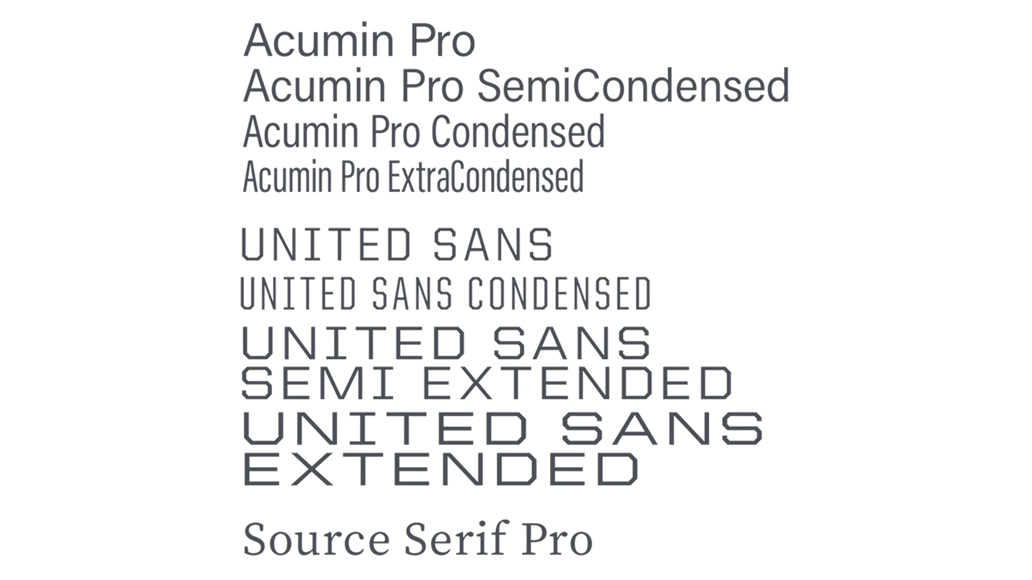
Text and Typography
- Use headings (H1–H6) correctly to create logical structure. Do not skip heading levels.
- Write in clear, concise and plain language. Break long content into shorter sections for readability.
- Ensure text can be resized up to 200% without loss of functionality.
- Avoid text embedded in images. Use live text whenever possible.

Images and Media
- Provide descriptive alt text for all meaningful images. Alt text should convey the purpose of the image, not just what it looks like.
- Mark decorative images with empty alt text (alt=””) so they are ignored by screen readers.
- Caption all video content and provide transcripts for audio.
- Confirm that embedded media players can be operated with a keyboard and work with assistive technology.
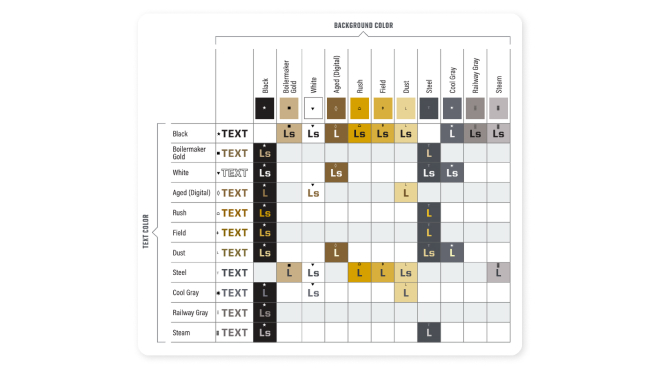
Color and Contrast
Color contrast is critical for legibility. Purdue’s Digital Color Matrix demonstrates approved foreground (text) and background color combinations that meet WCAG 2.1 AA standards.
How to Read the Matrix
- L’s (Large + Small): Safe for all text sizes.
- L (Large): Use only for text 18 pt or larger (or 14 pt or larger if bold).
- Blank cells: Noncompliant, do not use.
Best Practices for Color and Contrast
- Prioritize the highest-contrast options for body text and essential content.
- Reserve lower-contrast combinations for decorative or very large display text.
- Never rely on color alone to convey meaning (e.g., “fields in red are required”). Pair with icons or text labels.
- Validate custom designs with tools like Siteimprove, Lighthouse or WAVE.
- Stay within Purdue’s approved brand palette. Do not introduce unapproved colors, shades or tints.
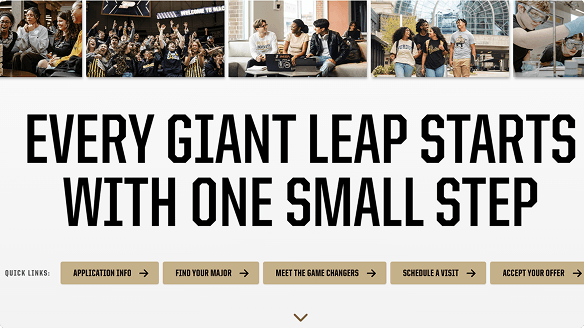
Links and Buttons
- Use descriptive link text that explains the destination or action (“Apply Now” instead of “Click Here”).
- Make links visually distinct through both color and styling.
- Ensure buttons have clear labels, sufficient contrast and visible focus states for keyboard users.
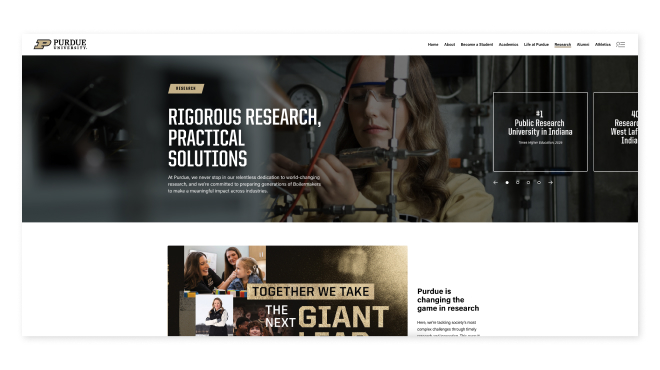
Layout and Structure
- Use semantic HTML landmarks (<header>, <main>, <footer>, <nav>) to define page structure.
- Apply ARIA roles only when necessary; do not use them to replace semantic HTML.
- Ensure forms include properly associated labels, clear instructions and meaningful error messages.
- Maintain consistent navigation and site structure to improve predictability for users.
Tools and Testing
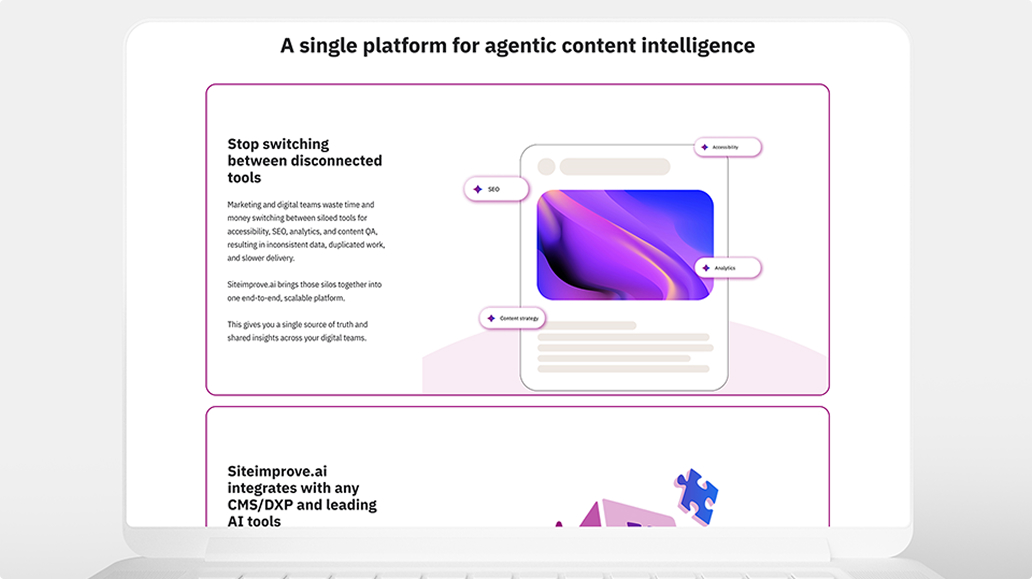
Purdue uses Siteimprove to monitor accessibility, search engine optimization (SEO) and quality across Purdue websites.
In addition to automated tools, editors and developers should:
- Run manual accessibility checks with browser tools such as Chrome Lighthouse and WAVE.
- Test all pages with keyboard-only navigation to confirm usability without a mouse.
- Conduct screen reader testing using software like NVDA, JAWS or VoiceOver.
- Incorporate accessibility checks into publishing and content review workflows.
Note: If a unit or department would like access to Siteimprove, please contact Purdue Brand Studio for licensing and onboarding information.
Accessibility Questions and Common Scenarios
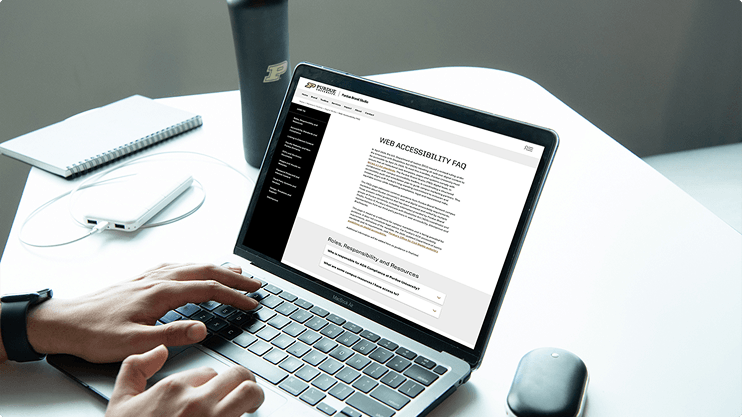
Accessibility questions often arise during testing and implementation. The Web Accessibility FAQ addresses common scenarios and clarifies Purdue’s expectations for editors and developers, including guidance on testing, media, third-party tools and accessibility requirements in real-world situations.
Compliance Audits
When Purdue’s new web theme launched in September 2023, all core Purdue.edu pages passed AA-level accessibility checks. As new blocks and features are introduced, maintaining accessibility remains a priority:
- A comprehensive re-audit of all blocks is underway.
- Any accessibility gaps identified will be remediated before the April 2027 federal deadline.
- Accessibility checks are built into the ongoing theme development and support cycle.
Contact Purdue Brand Studio if you encounter any accessibility issues within the theme. Our team will investigate, provide recommendations and coordinate corrections where needed.
Institutional Accessibility Resources
The Office for Civil Rights (OCR) oversees Purdue’s Electronic Information, Communication and Technology (EICT) Standard (S-5) and provides resources that extend beyond the web.
Key resources include classroom accessibility support, the Assistive Technology Lab (ATL) and Purdue Libraries’ Digital Accessibility Skills Guide. OCR also provides guidance on compliance and offers channels to report accessibility concerns related to Purdue websites or other electronic information.
Visit the Office for Civil Rights for full details.
Best Practices for Web Accessibility
Accessibility is not a one-time project but an ongoing responsibility. The following practices help create digital experiences that are both compliant and user-friendly:
- Plan for Accessibility Early
- Consider accessibility during design and content-planning stages, not after development.
- Think Beyond Minimum Standards
- Strive for the most inclusive experience possible, not just baseline compliance.
- Use Consistent Patterns
- Apply familiar layouts, buttons and navigation so users can predict behavior.
- Test With Real Users
- Where possible, include users of assistive technologies in usability testing.
- Document and Train
- Share accessibility knowledge with your team. Ensure new editors and developers are trained in Purdue’s standards.
- Make It Routine
- Integrate accessibility checks into every publishing and maintenance workflow.