WinAVR and Programmer's Notepad are the preferred development tools. These are freeware and the latest versions can be found and downloaded by googling them. Both run under Microsoft Windows.
It is assumed you have read the paper on Port-Based Objects from the previous help page.
The scheduler assumes a coarse object-oriented model of a task in which each task consists of several standard "methods" that govern its real-time operation. You must define these methods in your code, which include:
char sbsSpawn(charfnc_ptr f_ptr, uint16_t freq, char fRealTime)
int sbsControl(char procID, char cmd)
int sbsSet(char procID, int16_t type, int16_t arg, void *vptr)
int sbsGet(char procID, int16_t type, int16_t arg, void *vptr)
These functions allow the spawning of a task during initialization (non-time-critical region of code) and the subsequent ONing and OFFing of the task and the SETting and GETting of parameters. In addition, there are several supplementary interface functions to manage the system and tasks (or modules):
uint16_t sched_init(uint16_t freq);
void     sched();
The scheduler is initialized by calling
sched_init(heartbeat_freq);with an appropriate heartbeat frequency. This heartbeat frequency determines the granularity of scheduling as all task frequencies must be an integral multiple of the heartbeat's period. (No module will be able to be scheduled faster than the heartbeat.) sched_init() returns the actual heartbeat frequency set, which may vary somewhat from the requested frequency. This must be called once and only once before any other invocations of the sched library.
The AVR port currently does not have a
shutdown()action.
After initializing the scheduler, modules themselves can be spawned and turned on. A char process ID must be allocated to keep track of each module spawned. The memory required to maintain the module is statically allocated. For real-time tasks, all modules are generally spawned first, then turned on as needed. For example:
#include "vtypes.h"
#include "pbort.h"
#include "robot.h"	/* sample user-defined module header file */
#include "trajq.h"

main()
{
  char     robotMod, trajMod;
  uint16_t actualFreq;
  int      keepGoing = 1;
  int16_t  via[6] = {0,20,0,0,20,0};

  actualFreq = sched_init(1000);

  robotMod = sbsSpawn(robot_init, 500, 0);
  trajMod = sbsSpawn(trajq_init, 125, 0);

  if (sbsControl(robotMod, SBS_ON) != I_OK)
    printf("Error ONing ROBOTMOD\n");

  sbsSet(trajMod, VIA_ADD, 1, (void *)via);
  if (sbsControl(trajMod, SBS_ON) != I_OK)
    printf("Error ONing TRAJMOD\n");

  while(keepGoing)
    sched();

}
The system maintains three queues to operate. There is a "spawn queue" that
maintains a list of spawned tasks, an "on queue" that maintains a list of
tasks that have been turned on and are, therefore, eligible to become
ready. Finally, there is the "ready queue." This queue is
actively maintained by the interrupt routine and contains only those
tasks that have been released but have not yet finished executing.sched() must be called in a tight loop. It is the function that dispatches the tasks by executing the functions placed on the ready queue.
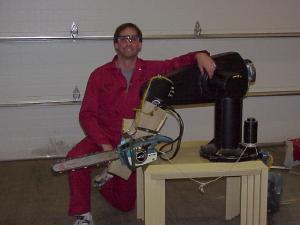
Trajq Module Code This is a real example that generates a trajectory for the Robotic Chainsaw using the PC version of PBO/RT (slightly different than the AVR version).
In general, it is easiest to define the required subroutines of each module in a single file and then link all the module files together. A template module file has been provided in module.AVR.c. You can copy this and then modify it.
Copyright: © 2001,2008-2010 by Richard Voyles. All rights reserved.
Department of Electrical and Computer Engineering,
University of Denver.
Maintained by Richard Voyles
Last modified: Oct. 8, 2010