
CAS Password Expiration |
In July 2015, Purdue Identity and Access Management will be updating our CAS web authentication server to enforce password expiration. It is Purdue policy that everyone change their password at least every 365 days (or 90 days for some faculty and staff with access to sensitive systems).
Purdue's CAS Web Authentication Server
Users are using Purdue's CAS Web Authentication Server whenever they are asked to log in to our CAS server. Our CAS server will always have a url starting with https://www.purdue.edu/apps/account/cas/login, and will look like the following: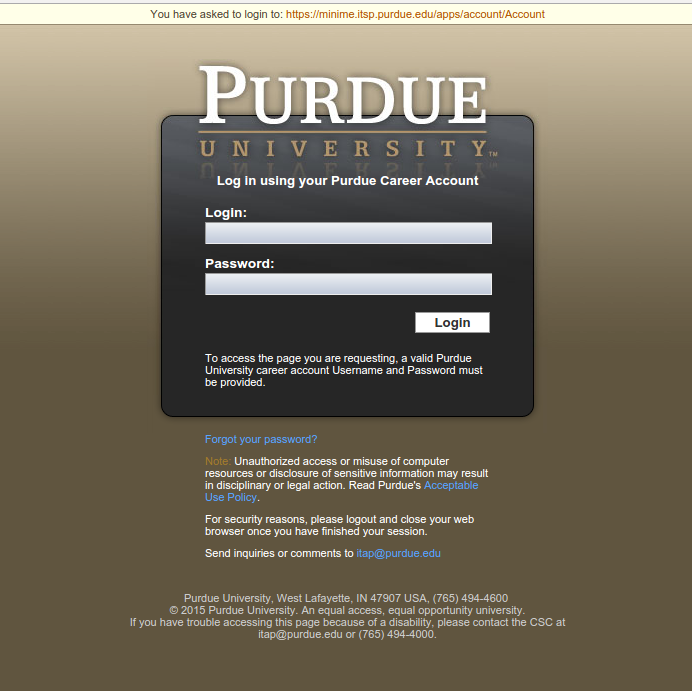
Upcoming Password Expiration Notifications
Three days prior to a password expiring, users will be notified that their password will be expiring soon when logging into CAS: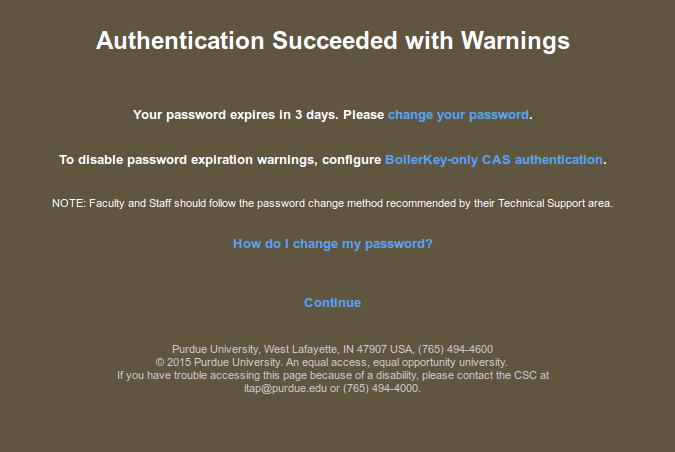
Users can click Continue to access the web page they originally requested (or users will be automatically redirected there in 15 seconds). Users are also given a link to change their password at this point. Instructions for configuring BoilerKey-only CAS authentication can be found here. BoilerKeys are only currently available to faculty and staff, but ITaP is already working on making them available to students as well.
Notification After Password Expiration
Once a password has expired, users will be notified that their password has expired after logging into CAS. Users will have 15 days from the first authentication attempt after expiration to change their password:
Password Expiration Enforcement
After 15 days from the first authentication attempt after expiration, users are required to change their password before accessing any resources protected by CAS. When logging into CAS, users will see:
Following the change your password link, users will see:
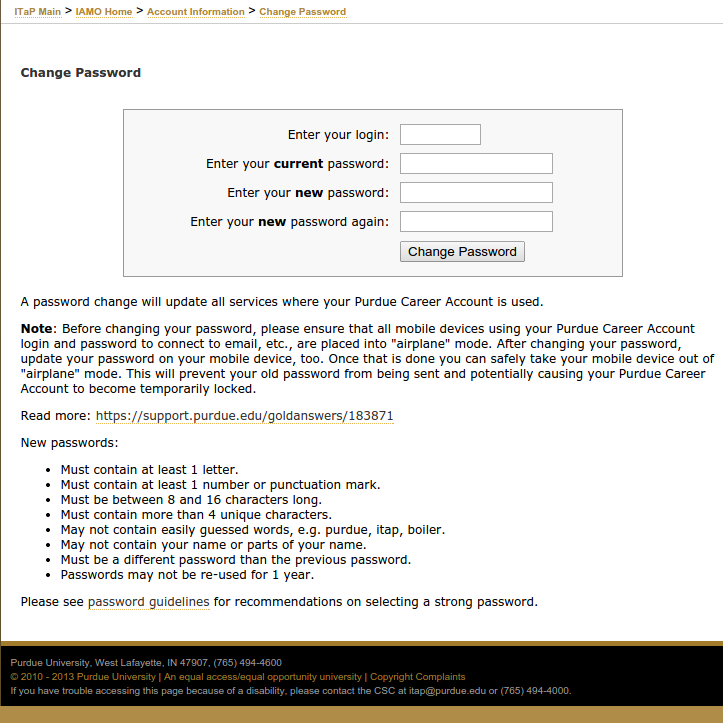
The above page is also available for use at any time, with no authentication required, by directly accessing https://www.purdue.edu/apps/account/ChangePasswordExpired. This is the standard password change application already provided from https://www.purdue.edu/apps/account/ChangePassword, except that users need not be authenticated to access it, and the Purdue career account login needs specified.
BoilerKey-only CAS Authentication
Faculty and staff are eligible for a Purdue BoilerKey, which provides "two factor" authentication, and is more secure than just a password. Faculty and staff can learn more about how to set up a Purdue BoilerKey here. Plans are in progress to offer Purdue BoilerKeys to students in the future as well.Users with a Purdue BoilerKey can configure CAS to always require BoilerKey authentication when logging in through CAS. The career account password will no longer work with CAS, after configuring BoilerKey-only CAS authentication.
To require BoilerKey authentication with CAS, access the BoilerKeySelfServe application, pan down to the Authentication Services, and click "Change To Require BoilerKey Authentication":


Users will no longer see any password expiration warnings when logging into CAS, after configuring BoilerKey-only CAS authentication.
If you have any questions, please contact accounts@purdue.edu.